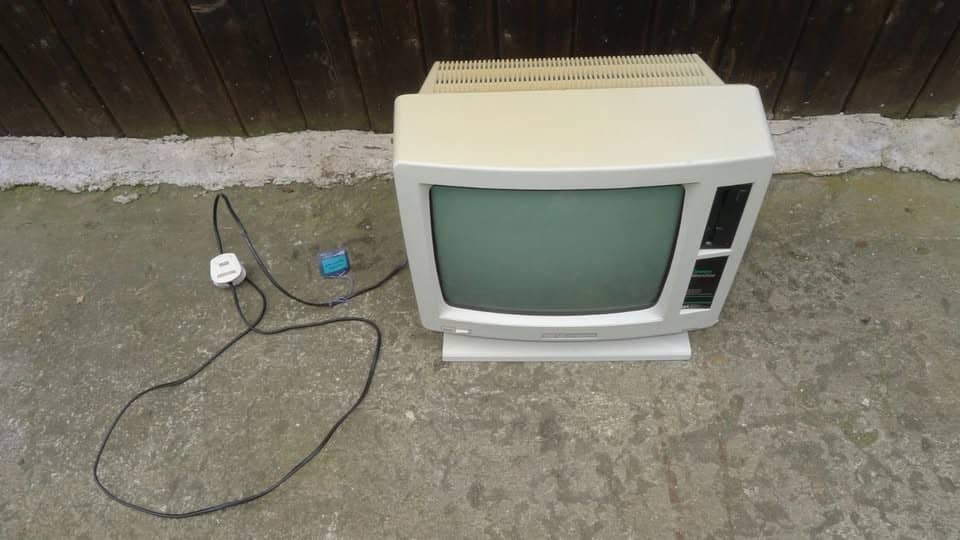
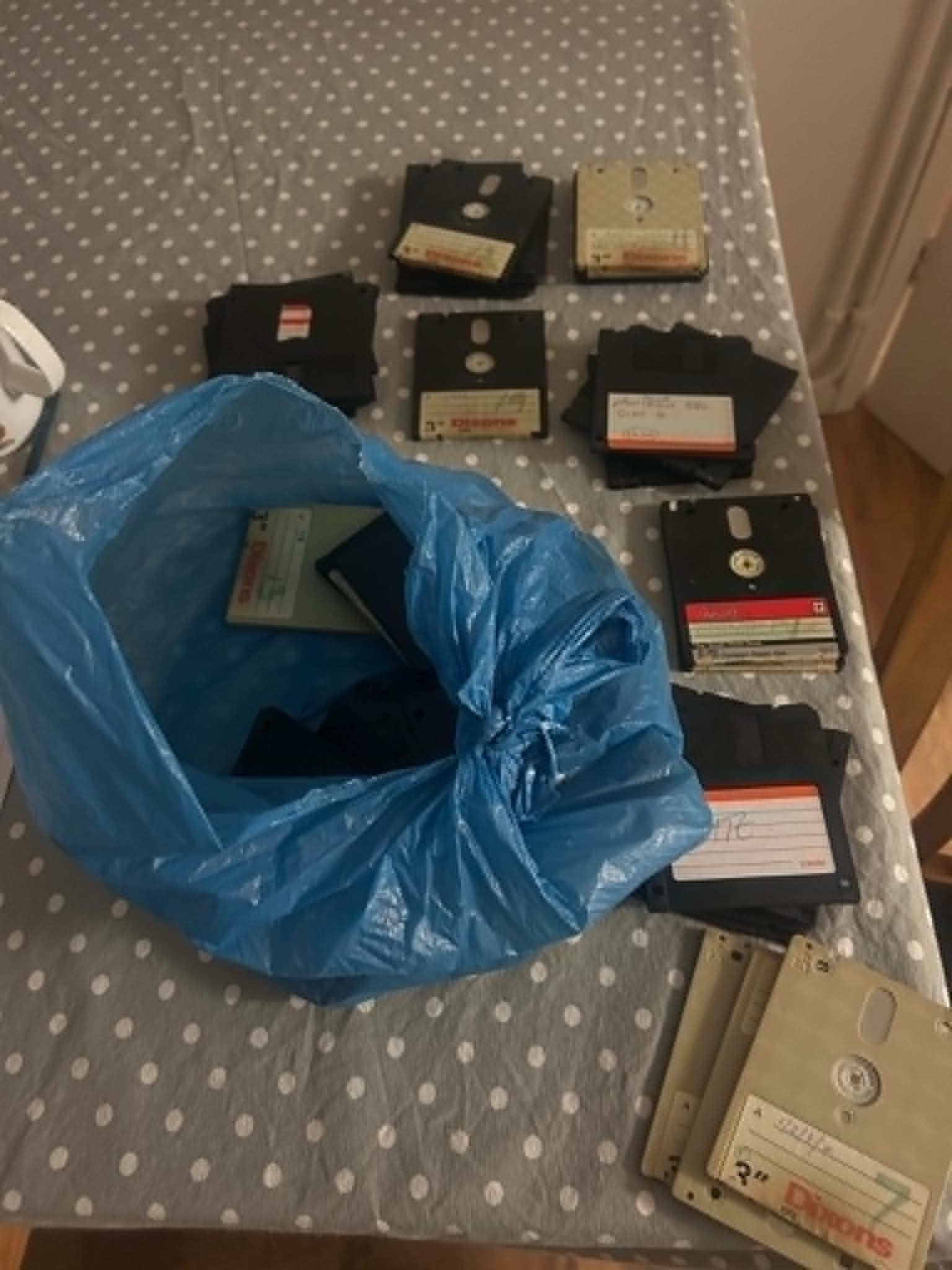
I would like to see what I was writing between 89-93. Unfortunately, the word processor did a vanishing act. No idea what happened to it. I know I didn’t throw it out!
I have emailed Lord Sugar at the House of Lords - I have yet to receive a reply!
I felt like there might be other ways to do this. So, I asked an AI and it said the following:
Buying a 40-year-old Amstrad PCW machine to read those disks is not only unnecessary, but inserting old media into unserviced hardware can permanently destroy the magnetic magnetic surface due to perished drive belts and degraded read heads. Those 3-inch square cartridges are Amstrad CF2 Compact Floppy Disks, and they typically contain text created in LocoScript, a word processing format that modern PCs cannot natively read without file conversion.
Professional UK Media Transfer Services
Specialized Conversion Labs: UK-based services like DiskTransfer.co.uk and Advanced Downloading handle legacy Amstrad CF2 3-inch floppy disks. They clean the magnetic tape inside the casing to prevent damage, copy the raw sector data at a hardware level, and convert LocoScript documents into standard Microsoft Word (.docx) or PDF formats.
Museums and Vintage Tech Communities
The Centre for Computing History (Cambridge): This museum and similar UK tech preservation groups maintain operational vintage hardware and frequently assist with reading legacy media for archival purposes.
Retro Computing Forums: Communities like the CPCWiki or UK vintage computing groups host active members who own flux-level reading hardware and offer volunteer disk-imaging services for fellow enthusiasts.
Hardware DIY Alternatives
Greaseweazle or KryoFlux USB Boards: Rather than buying a full, bulky Amstrad PCW monitor and computer, a standalone 3-inch floppy drive can be wired to a modern PC via a USB flux controller (like a Greaseweazle). This bypasses the old computer completely and extracts raw disk images
Gotek Floppy Emulators: If someone does acquire a PCW machine, replacing the failing internal 3-inch drive with a Gotek USB drive emulator allows the machine to read disk image files directly from a standard USB flash drive.
But if I send you my spare, what happens if my primary, secondary and tertiary all fail?
Out of the question, I’m afraid.
Your best bet is probably a data recovery service. Specially considering their age, I’m not sure how or how fast data corruption takes place on magnetic drives.
Each disk is opened to allow the surface to carefully remove mould that will have grown for humidity and temperature variations while in storage for many years.
Failure to do this means the mould will “snowball” in front of the floppy drive reading head.
This will cause the head to “plough” into the recording layer damaging the data and loss of data.
The disk is then “imaged” in a gentle controlled manner - ie it is not simply placed into a Amstrad / Windows computer that will thrash the read head across the delicate disk surface.
The imaging process allows us to get maximum easily readable data in a single pass, then later target just the bad bad areas of the disk in subsequent passes.
We extract the Locoscript word processor files and convert them to be easily viewed and edited in say Text or Microsoft Word, on Apple Mac and Windows PC computers and many more.
Below quote for data transfer from the disks to email/download and/or USB memory stick.
Assuming they are Amstrad formatted disks, the cost for the first Disk is £85.
The cost for the next 5 disks is £45 each, and subsequent disks is £15 each providing they are sent at the same time.
Note - if your documents are written with some non english characters, there may be some minor issues with the character translation to MS Word, which can usually be easily corrected by say “Find and Replace” in a text editor.
If required, a USB is £15. Return courier £5.
Payment - after the work I shall email an invoice with our account details on for easy bank transfer.
Please include a note with your name, email, address and phone number when sending the disks.
Please let me know if you have any further questions.
Honestly, it sounds like a fair deal and like they know what they are doing. It makes sense to me that the logical thing would be to sort of “scan” the drive with some newfangled scanner that doesn’t have to interact with the surface quite as much.
It also sounds like it’s basically a home shop, not some corporate outlet, so you can probably negociate on the price with him. It’s a fairly big job, I see dozens of disks there. I’m sure he would be willing to give you a price.
I am not optimistic about the results you would get by just getting a compatible machine and plugging the disks in. Those were designed for short term storage, all sorts of things can degrade them.
Haha maybe find some guy in Mexico that can do the same job. Or some other third world country. Plenty of capable people there, and you could come out of it feeling like you made a difference in the life of a person that needs and probably deserves it.
I’m guilty of a kind of 80’s-90’s computer fetish.
I used to hang around a forum with a lot of old school systems programmers, and it’s a big thing with them. You sort of catch it.
Many there insisted that the single best form of long term storage was a technology from I think the 70’s, magnetic rolls. If properly maintained, they are apparently 10x better than any other available technology. With many caveats, you really aren’t supposed to be looking into them very often, you can’t really modify what you print in them, etc. Just a kind of time machine.
you can’t really modify what you print in them, etc.
I mean you can, and that’s its whole own field of expertise.